
 Image 1 of 1
20 things you probably haven't checked on your LinkedIn profile.
Think you've got your LinkedIn profile pretty much sorted? I reckon there's something in here that'll surprise you.
You could have been using LinkedIn for ten years and still have no idea about some of the settings, features and little details hiding right under your nose.
Did you know you can control which of your current positions appears most prominently? That people might be able to browse your connections? Or that someone can remain a follower even if you decline their connection request?
And that's just scratching the surface.
I've taken 20 of the things I look at when working on LinkedIn profiles and turned them into a practical, step-by-step ebook you can work through yourself.
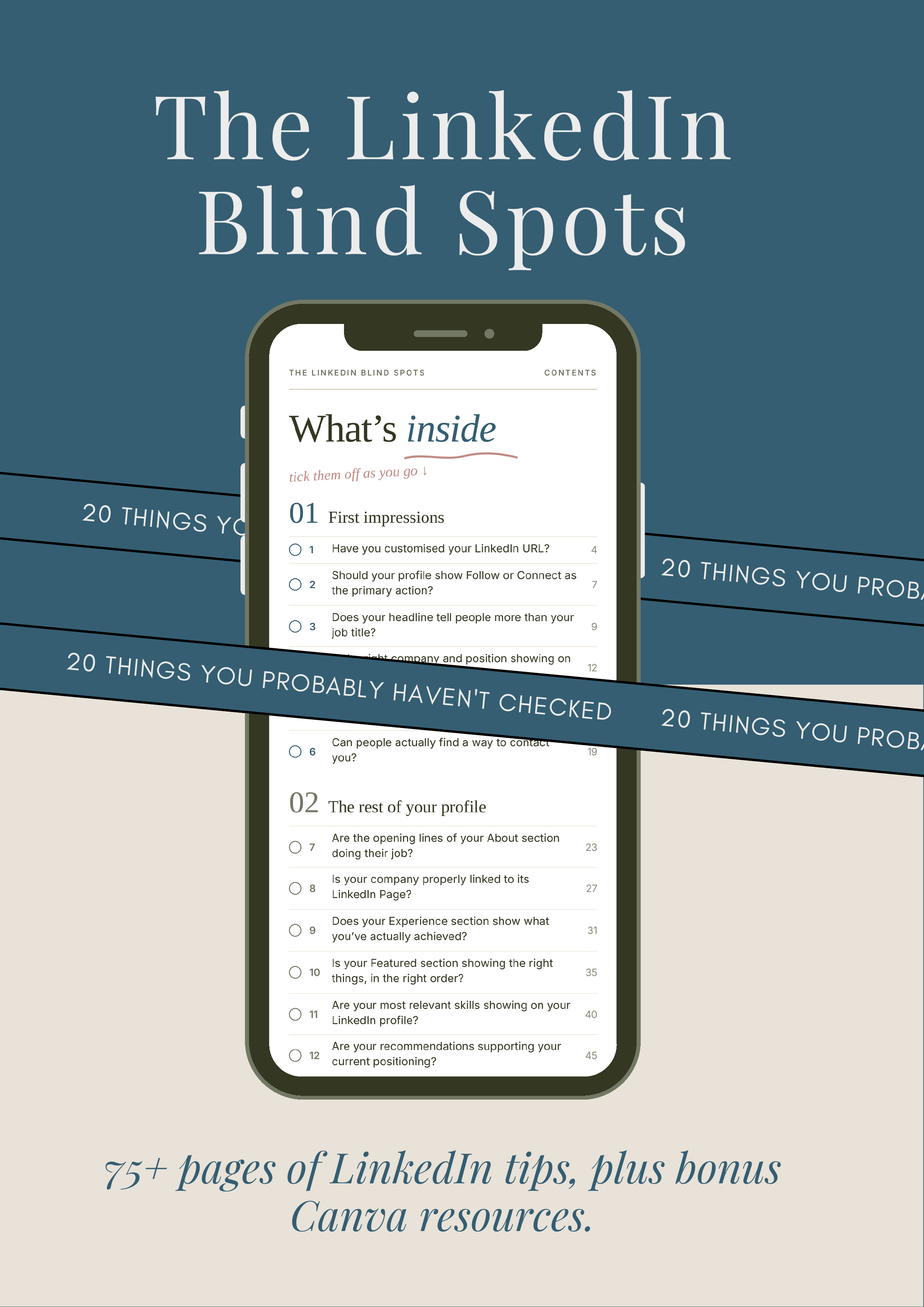
75+ pages covering 20 detailed LinkedIn profile checks, with step-by-step instructions, real screenshots and practical advice on settings and features you probably didn't even know existed
My own recommendations, including the little things I've discovered working with founders, CEOs and leadership teams.
Step-by-step visual walkthroughs, so you're not left trying to figure out where LinkedIn has hidden everything.
Bonus Canva resources for creating your own LinkedIn profile banner, Featured section graphics and Company Page banner.
A final profile review, helping you look at your profile through somebody else's eyes.
This isn't something you need to sit down and read cover to cover.
Open LinkedIn, pick a check and work through it. Some changes take less than a minute, and others might make you rethink how you're using parts of your profile.
There are plenty of screenshots, so the page count isn't 75+ pages of endless reading!
And you don't necessarily need to change everything. Sometimes just knowing what's possible is useful enough.
20 checks. 75+ pages. Bonus Canva resources. All for £19.
Let's see how many things you discover that you didn't already know.
20 things you probably haven't checked on your LinkedIn profile.
Think you've got your LinkedIn profile pretty much sorted? I reckon there's something in here that'll surprise you.
You could have been using LinkedIn for ten years and still have no idea about some of the settings, features and little details hiding right under your nose.
Did you know you can control which of your current positions appears most prominently? That people might be able to browse your connections? Or that someone can remain a follower even if you decline their connection request?
And that's just scratching the surface.
I've taken 20 of the things I look at when working on LinkedIn profiles and turned them into a practical, step-by-step ebook you can work through yourself.
75+ pages covering 20 detailed LinkedIn profile checks, with step-by-step instructions, real screenshots and practical advice on settings and features you probably didn't even know existed
My own recommendations, including the little things I've discovered working with founders, CEOs and leadership teams.
Step-by-step visual walkthroughs, so you're not left trying to figure out where LinkedIn has hidden everything.
Bonus Canva resources for creating your own LinkedIn profile banner, Featured section graphics and Company Page banner.
A final profile review, helping you look at your profile through somebody else's eyes.
This isn't something you need to sit down and read cover to cover.
Open LinkedIn, pick a check and work through it. Some changes take less than a minute, and others might make you rethink how you're using parts of your profile.
There are plenty of screenshots, so the page count isn't 75+ pages of endless reading!
And you don't necessarily need to change everything. Sometimes just knowing what's possible is useful enough.
20 checks. 75+ pages. Bonus Canva resources. All for £19.
Let's see how many things you discover that you didn't already know.